
Card Declined Abroad: Reasons and What to Do
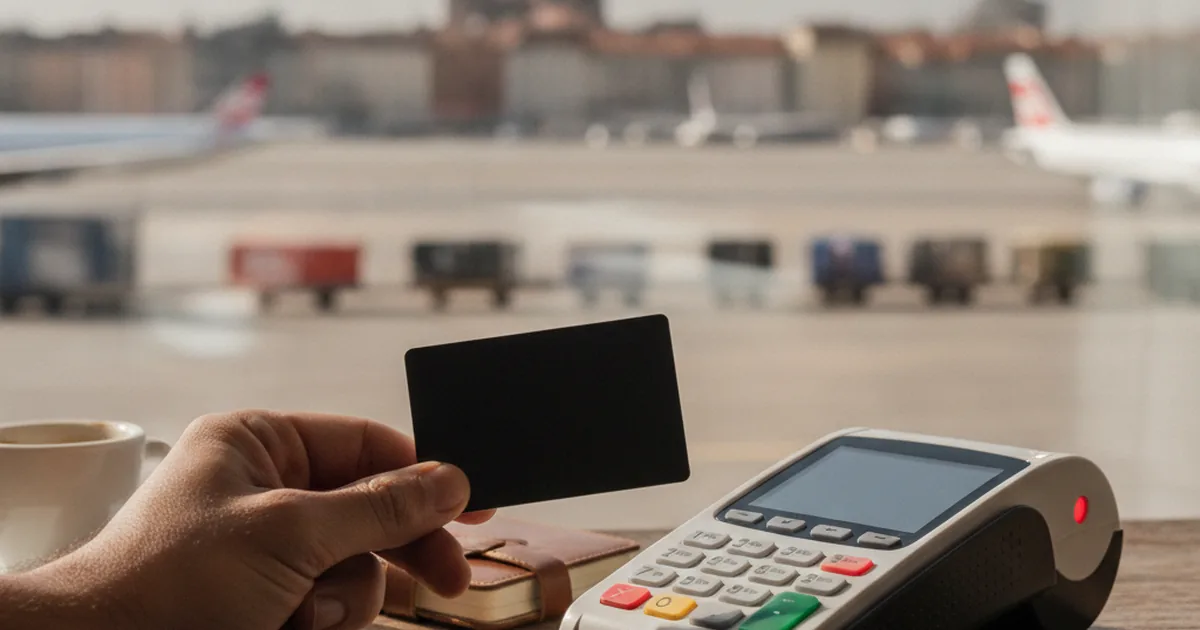
A card declined abroad becomes an urgent problem when there is a line behind you, the taxi is waiting or the hotel needs to confirm your booking. The worst reaction is to repeat the same attempt several times without changing anything. That can trigger security controls, create pending authorizations or simply prolong a failure that lives in the terminal.
Start with the most useful signal: does the attempt show up in the app or in the card's history? If it does, the issuer, the institution responsible for authorizing the card, received the request and may be able to show the reason. If it does not, the transaction may have stopped earlier, at the terminal, the payment gateway or a merchant rule. Then check balance, limit and card status, and make only one new attempt with a clear fix.
This guide organizes the diagnosis for in-person and online purchases, shows when to use chip and PIN, explains the role of 3D Secure and suggests a safe plan B so you can carry on with your trip.
Card declined abroad: what to do in 90 seconds
Follow this order before trying to pay again:
| Step | What to check | Next action |
|---|---|---|
| 1 | Does the attempt show up in the app? | Open the details and read the reason, if there is one |
| 2 | Is the card active, with available balance and limit? | Fix whatever is blocking the purchase |
| 3 | Did contactless fail? | Insert the chip and enter your PIN once |
| 4 | Is it an online purchase? | Review the details and complete 3D Secure authentication |
| 5 | Does the merchant use a deposit, pre-authorization or a restricted category? | Ask for another way to pay or use another card |
| 6 | Nothing changed after one corrected attempt? | Stop retrying, use your backup method and contact official support |
Before leaving the checkout, write down or screenshot the date, amount, currency, merchant name and the method used, such as contactless, chip or online. These details help the issuer find the attempt without you sharing the full card number, CVV, PIN or any code you received by message.
Does the attempt show up in the app?
This question splits the problem into two paths.
The attempt shows up as declined
This indicates the request reached the issuer. Open the details, because the app may show a cause such as insufficient balance, limit exceeded, frozen card or operation not allowed. Visa advises that the issuer is the one best placed to give the specific reason for a decline.
If the message is generic, gather the purchase details and contact the issuer's official support. Do not accept a definitive explanation from the merchant's staff, because they usually see only the decline response, not the rule that produced it.
The attempt does not show up
This may indicate the request stopped before reaching the issuer. Possible causes include a terminal without a connection, an unstable checkout gateway, a card that was not read, a category that is not accepted or an internal merchant rule.
It is not absolute proof that the issuer was not involved. Wait a few minutes, refresh the history and ask the merchant whether the terminal showed an error. If another terminal is available, an attempt there may be more useful than repeating on the same device.
Why can a card with a balance be declined?
Having enough balance is necessary, but it does not guarantee the purchase will be authorized. The payment goes through other checks:
- Daily limit: the balance may cover the purchase, but the day's accumulated amount has already reached the configured limit.
- Card frozen, blocked or not yet activated: the card may be in your wallet and still be unavailable for use.
- Final amount higher than expected: a tip, merchant fee, conversion or temporary deposit can raise the amount requested.
- Security control: an unusual purchase may require confirmation or be blocked by the issuer.
- Type of operation: car-rental companies, hotels, automated fuel pumps and other merchants may use pre-authorization or accept only certain types of card.
- Read or communication failure: the chip, contactless reader, terminal, acquirer and gateway can also interrupt the transaction.
- Geographic restriction: some issuers or cards decline operations processed in certain countries and regions.
Look at the available balance, not just the total balance. An earlier authorization that is still pending may be holding part of the money. If there is a hold you do not recognize or that seems to last longer than expected, talk to the issuer instead of blindly loading the card again.
Contactless declined: try chip and PIN
A contactless decline does not necessarily mean the whole card has stopped working. A contactless payment may require a chip-and-PIN transaction after several purchases, after a card replacement or as a security check.
Ask to insert the card and enter your PIN privately. Do it once. On the Picnic card, entering the wrong PIN three times in a row blocks the card, and unblocking it requires contacting support and then resetting the PIN at a European bank ATM, a procedure that is not available in Brazil. The PIN may also work on connected terminals and fail on offline terminals, such as trains, tolls and some fuel pumps. If the chip fails too, do not keep switching between contactless and inserting the card. Check the app, see why the PIN may be declined on some card machines and move on to the next diagnosis.
A digital wallet can also help when the problem is limited to reading the physical card, but it does not solve everything. Apple Pay or Google Pay use a credential linked to the same issuer. If the cause is balance, limit, a general block or the merchant's category, paying by phone may also be declined. See how to set up Apple Pay and Google Pay abroad before your trip.
Online purchase declined: details, address and 3D Secure
At an international checkout, first review the basic fields:
- card number;
- name, as requested by the site;
- expiry date;
- security code;
- billing address associated with the card;
- country or region selected in your account with the merchant.
Do not make up a postcode to get past validation. Use the address registered with the issuer. If an international app requires a specific format, look for your card's official guidance.
The purchase may also depend on 3D Secure. The protocol lets the merchant send transaction and device data to the issuer to authenticate who is buying. The step may ask for biometrics, confirmation in the app or a one-time code. The Visa Secure experience varies by issuer.
If the authentication screen does not open, or closes before confirmation:
- disable blockers only for the legitimate site;
- allow the checkout's pop-ups, if needed;
- check your connection and try in the official, updated browser or app;
- do not share the authentication code with the merchant or with anyone who called you;
- stop if the domain, the message or the request for information looks suspicious.
If authentication was approved and the purchase still failed, the merchant may have declined the operation after that step. Confirm the status with the merchant before retrying, especially when a pending authorization appears.
Hotels, car rentals and pay-at-pump need attention
Some payments abroad are not a simple purchase. Hotels and car-rental companies often make a pre-authorization to cover a deposit and extra charges. The amount held may be larger than the nightly rate or the rental. Debit, prepaid or balance-linked cards are not always accepted in this process.
Ask the merchant:
- how much will be pre-authorized;
- whether it accepts your type of card;
- when the hold is released;
- whether there is another form of guarantee.
At fuel stations with payment at the pump, the terminal may hold a large amount before it knows how much fuel you will pump. If your card does not support this kind of pre-authorization, pay at the counter and state the exact amount, when that option exists.
Do not try to get around a merchant rule by declaring a different card type. Bringing a debit or credit card abroad as backup is more reliable than depending on a single product for both purchases and deposits.
Choosing local currency does not fix a decline
When the terminal offers to charge you in reais or in the destination's currency, the choice affects the conversion, not the card's authorization. In general, paying in local currency avoids the merchant's dynamic currency conversion, known as DCC, and leaves the conversion to the card network. Find out why in the guide on paying in reais or in local currency.
If the purchase was declined, switching from reais to local currency may generate a new request, but it does not fix insufficient balance, limit, a block, an incompatible category or a terminal failure. First identify the cause. Then choose the currency deliberately.
What to check on the Picnic card
This section is for people who already hold a Picnic card. New card orders are temporarily paused since September 22, 2026, with no confirmed reopening date. Separately, the current card version works until December 20, 2026, at 23:59 UTC; after that, use continues through an announced upgrade, starting with the virtual card, and the notice says the new card will need to be added to Apple Pay or Google Pay again after the upgrade.
On Picnic, open the app and follow this sequence:
- go to Card → Balance and confirm your available balance, as described in the official Picnic card decline guide;
- check the configured daily spending limit;
- confirm the card is active;
- if you just loaded the balance, follow the official guidance: wait 3 to 5 minutes, close and reopen the app and try only once more;
- if contactless fails, insert the chip and enter your PIN only once; on Picnic, three wrong PIN entries block the card;
- check whether the purchase uses an unsupported type of operation or was processed in a restricted region.
The Picnic card does not accept operations such as car rentals, automatic payment at the fuel pump, pawn shops, gambling, deposits into digital wallets and fintechs, or business use. Some of these, such as car rentals and pay-at-the-pump fuel, depend on pre-authorization, which the Picnic card does not support. In these cases the transaction is declined even with an available balance. The full list and alternatives are in the Help Center article on purchases that may be declined.
Where the transaction is processed also matters. A purchase made on a well-known site may be processed in another country. Check the countries where the Picnic card does not work before concluding that your balance is the problem.
In international apps that ask for a postcode or billing address, do not use improvised details. Follow the official Picnic Help Center guidance for registering the card.
If the decline continues, contact support inside the app and give the date, amount, currency, merchant, country and payment method. Do not share your PIN, CVV or any authentication code with support.
When to talk to the merchant or to the issuer
Contact the merchant when:
- the attempt does not show up in the app;
- the terminal shows a connection or read error;
- the checkout does not load the authentication step;
- you need to confirm a pre-authorization, deposit or accepted card type;
- there is a pending charge and the order was not completed.
Contact the issuer when:
- the decline shows up in your history without enough explanation;
- the card is blocked or frozen and you cannot fix it in the app;
- balance and limit look correct, but different merchants decline the card;
- there is an authorization or hold you do not recognize;
- you suspect fraud or see a purchase you did not make.
If an unknown transaction appears, do not keep testing the card. Freeze it and follow the lost or cloned card abroad protocol.
A safe plan B to keep traveling
A decline that is hard to resolve should not stop you from getting to your hotel. Use a backup method without compromising your security:
- a second card, ideally from another issuer, kept separately;
- a small amount of cash for transport and food;
- a virtual card for international purchases, if it is already set up, the merchant accepts it and the problem is limited to the physical card;
- a digital wallet already set up on a trusted device;
- paying at the counter when the automated terminal uses an incompatible pre-authorization.
Avoid asking a stranger to pay for you in exchange for a transfer. Do not hand over your unlocked phone, do not allow remote access and do not share your PIN, CVV or authentication code. Scammers exploit the urgency of people who are far from home.
How to prepare before you leave
Reduce the chance of a decline turning into an emergency:
- activate the card and make a chip-and-PIN purchase before the trip;
- check balance, limit and status in the app;
- update the app and make sure you can access your registered email and phone;
- check country and category restrictions;
- keep a backup payment method somewhere else;
- save the official support channel;
- keep a small cash reserve;
- understand how an international card works and how the conversion will be done.
For a trip to the United States, for example, compare acceptance, deposits, withdrawals and costs before choosing the best card to use in the US. The best plan is not a card that promises never to fail. It is a combination that keeps working when one of your methods runs into a rule, a limit or an incompatible terminal.
Fix one cause at a time and do not retry blindly
When a card is declined abroad, start with the history in the app. If the attempt shows up, look for the reason and fix balance, limit, status or authentication. If it does not, investigate the terminal, the gateway and the merchant's rule. For contactless, make one attempt with chip and PIN. For online purchases, review the details, the address and 3D Secure.
After one corrected attempt, stop insisting if nothing changes. Use your backup method and talk to the merchant or the issuer depending on where the transaction stopped. That protects your money, reduces duplicate authorizations and gets your trip back to what matters.
If you already use Picnic and want your digital-dollar balance and international card in the same app, open Picnic and, before traveling, check your balance, limit, accepted operation types and supported countries, and always keep a separate alternative. New card orders are currently paused, so people without a card should follow the official notice for updates.
Picnic is a technology platform that lets users independently interact with USDC, a U.S. dollar-pegged stablecoin issued by Circle, on public blockchains. USDC is not legal tender in Brazil.
Displayed exchange rates vary with market conditions. The final applicable amount is the one shown on the transaction confirmation screen. Cryptoassets involve risks, including volatility and loss of peg.
Picnic does not custody user assets and is neither a financial institution nor a virtual asset service provider. Sending and receiving U.S. dollar payments through a U.S. account is offered in partnership with Noah Savings Inc. Terms and conditions apply.
Information verified in November 2026.

Picnic team
Technology platform
The Picnic team creates content about international finance, cards and digital dollars.
Get your Picnic card
No annual fee, no IOF and no Picnic fee. Open your account in five minutes.
Open your account →