
How to transfer crypto from Nubank to your own wallet
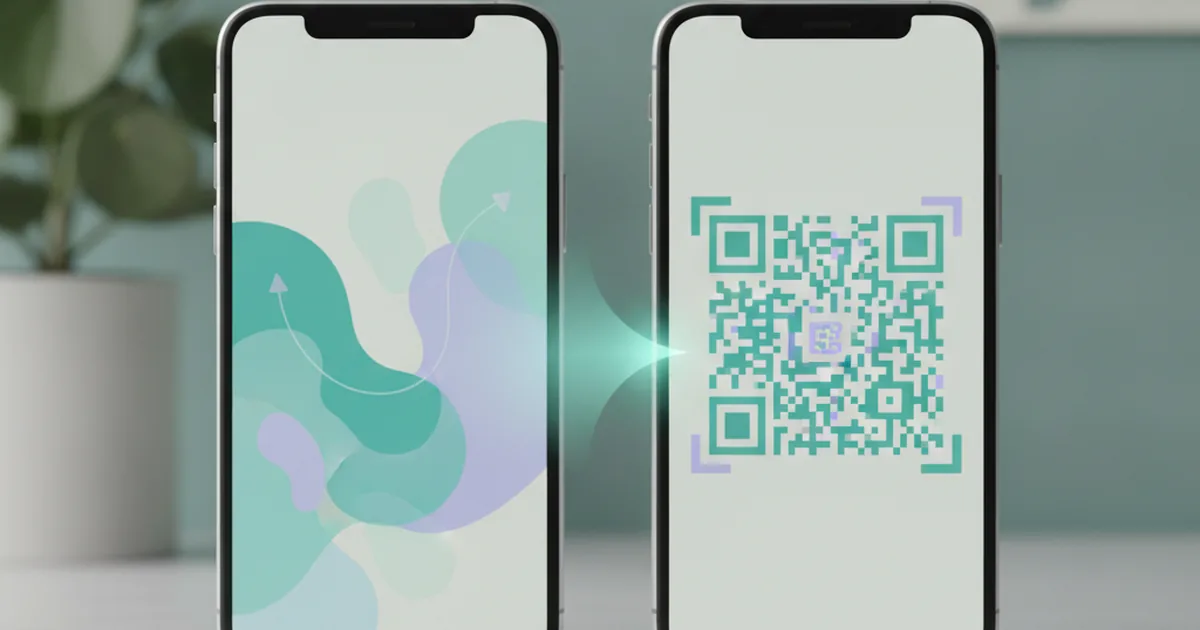
You can transfer crypto from Nubank to your own wallet, but a copied address alone is not enough. The asset and sending network must match what your destination accepts. Nubank also asks for information about the recipient before each transfer. Once a transaction is confirmed on-chain, selecting the wrong network is not something the app can simply undo.
Start at the receiving wallet: choose the asset and network, copy the address shown for that operation, and only then open Nubank. Review the withdrawal fee and the net amount on the final screen. If the minimum allows it, send a small amount first. This guide reflects published rules checked on November 10, 2026; the networks, limits and fees that apply to your account are the ones shown in the apps when you transfer.
Which assets can you send from Nubank?
Nubank's official crypto page, checked on November 10, 2026, lists BTC, ETH, SOL and USDC for sending and receiving. It also says the feature may roll out gradually. Being able to buy an asset in Nubank does not necessarily mean it can be withdrawn to an external address.
The public page does not give a complete, dependable asset-by-network withdrawal matrix. “USDC” is an asset, not a network. Select the asset in Nubank and see which networks your account offers; then check that the receiving wallet explicitly supports that same asset on that same network. If either app does not show the combination, stop rather than sending a trial transaction to an unsupported route.
| Check | In Nubank | In the receiving wallet |
|---|---|---|
| Asset | Asset selected for withdrawal | Asset selected for deposit |
| Network | Network available for this transfer | Network attached to the receiving address |
| Address | Recipient field | Address generated for the current operation |
| Costs | Fee, minimum and net amount | Any bridge or conversion cost, where relevant |
An 0x address does not prove that two EVM networks are interchangeable. Native bitcoin needs a Bitcoin-network address; native SOL needs a Solana address. See what can happen when crypto is sent on the wrong network before using a new route.
How to transfer crypto from Nubank: eight steps
- Open the receiving wallet first. Tap Receive or Deposit, select the asset, then the network. If the route converts assets, read the minimum, quote expiry and balance expected at the destination.
- Copy the address from the current screen. Do not reuse one sent in a message or saved from an old operation. If the destination requires a memo or tag, check whether Nubank provides the necessary field before proceeding.
- Open the Crypto area in Nubank. Choose the holding and the option to send it to another wallet. Button names may change with app releases; make sure this is an on-chain transfer, not a sale for Brazilian reais.
- Select the exact asset and network supported at the destination. If the destination network is unavailable in Nubank, look for another combination both sides support. Do not substitute USDT for USDC, or wrapped BTC for native BTC.
- Paste and check the full address. Compare its beginning and end and, where your wallet permits, the entire address. A saved contact or an automatic network suggestion does not remove this step.
- Answer Nubank's questionnaire truthfully. Nubank's instructions say the questions cover recipient, type of transfer and details that vary by destination. State who actually controls or receives the wallet. Do not pick a category just to get past the form. If the classification is unclear, ask Nubank support before sending.
- Review the fee, minimum and amount received. NuCrypto's terms say costs and limits are shown before confirmation. Its fee for buying or selling crypto in reais is not necessarily the fee for this withdrawal.
- Send a small test when practical. Wait for the correct asset to arrive on the correct network before sending the rest. The test may incur a separate fee, and it does not make the transfer reversible. If the route uses a bridge or temporary address, create a new deposit operation for the remainder and copy the new address; do not reuse the test address. Re-check the asset, network, address and quote for the next transfer.
The guide to transferring USDT from Binance to your own wallet also explains the checks and small test; do not assume Binance's available assets and networks are available in Nubank.
If Nubank asks for additional declarations, treat them as part of the transfer rather than a formality to bypass. The required details depend on ownership and recipient type. This article does not classify any wallet or platform under Brazilian financial regulations.
What if the destination is Picnic?
In Picnic, start with Deposit → Crypto, select the asset and network displayed, and copy the address from that screen. Picnic's deposit guide requires the token and network to match exactly. Picnic's self-custody wallet lets you keep control of your assets; you still have to check the transfer route.
Depositing into your Picnic account and loading a card with crypto are different operations, but bridges and temporary partner-controlled addresses are not limited to card loads. For Picnic account deposits, BTC on Bitcoin, SOL on Solana and USDC on Solana use the Relay bridge, rather than arriving directly in the EVM wallet. The temporary address belongs to that quote. For any route using a bridge or temporary address, Picnic says to generate a new address for every transfer: if you test and then send the remainder, create a new deposit operation and copy the new address; do not reuse the first address, even after the test is credited. Follow the asset, network, minimum, amount and expiry shown for each operation. Compare the projected credited balance after the bridge or conversion as well as Nubank's withdrawal cost. These Picnic routes are only usable if Nubank offers the same asset and network combination.
Native BTC on the Bitcoin network needs particular care. Picnic's native Bitcoin deposit route can use a bridge instead of depositing directly into an EVM wallet. Select the BTC-on-Bitcoin option shown in the app and follow only the address, minimum, amount and expiry displayed for that operation. Do not send native BTC to an 0x address, and do not assume WBTC on an EVM network is the same withdrawal asset in Nubank. If the two screens do not offer a matching route, do not send. The Bitcoin withdrawal guide explains why native and wrapped BTC differ.
Picnic is a technology platform, not a crypto exchange. If you are deciding whether to keep assets with the original provider or take control of a wallet, read exchange or your own wallet: where to keep your crypto. Greater control also means taking care of access credentials, transaction approvals and recipient addresses.
How much does a transfer cost and how long does it take?
There is no single fee for “withdrawing crypto from Nubank” across all assets and networks. As checked on November 10, 2026, NuCrypto's terms direct customers to the cost and limit shown before confirmation. Compare the account debit with the amount expected at the destination. A test and a main withdrawal may incur two fees. A bridge or conversion at the receiving end can add another cost, so compare the eventual asset and balance as well.
Timing has several stages: Nubank processes the request, the blockchain confirms it, and the receiving service recognizes and credits it. A confirmed transaction hash proves an on-chain transfer, not necessarily that a temporary deposit was identified by the platform. Keep the receipt, network, recipient address and hash if you need to investigate.
Sent but not received: what should you do?
Do not send the same amount again immediately. Check the status in Nubank. If it remains pending there, follow the app or contact Nubank support. If a hash exists, use an explorer for the actual sending network and check status, recipient address, token and amount. At the destination, confirm you are viewing the same network and whether the token needs to be made visible manually.
If the transaction is confirmed but the destination service has not credited it, contact the destination's official support with the hash, network, asset, amount and address. Never share your password, one-time code, private key or seed phrase. NuCrypto's terms say an on-chain confirmed transfer cannot be cancelled by Nubank; an attempted recovery, when technically possible, is not a guarantee of getting funds back.
The key decision comes before comparing fees: match the asset, network and address in both apps first. If any one of those checks is missing, wait. A small test limits the potential loss from a mistake but does not replace the check.
Picnic is a technology platform that lets users independently interact with USDC, a U.S. dollar-pegged stablecoin issued by Circle, on public blockchains. USDC is not legal tender in Brazil.
Displayed exchange rates vary with market conditions. The final applicable amount is the one shown on the transaction confirmation screen. Cryptoassets involve risks, including volatility and loss of peg.
Picnic does not custody user assets and is neither a financial institution nor a virtual asset service provider. Sending and receiving U.S. dollar payments through a U.S. account is offered in partnership with Noah Savings Inc. Terms and conditions apply.
Information verified in November 2026.

Picnic team
Technology platform
The Picnic team creates content about international finance, cards and digital dollars.
Get your Picnic card
No annual fee, no IOF and no Picnic fee. Open your account in five minutes.
Open your account →