
Picnic Card Dollar Balance: How It Works in Other Currencies
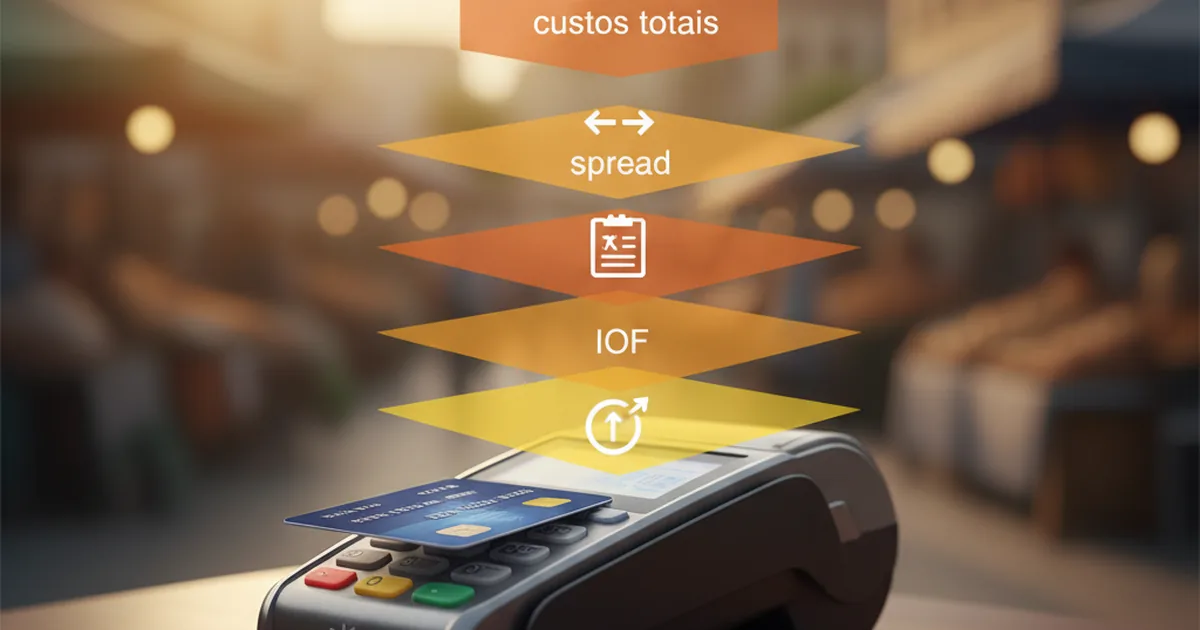
Short answer: the Picnic card keeps a single digital dollar balance, but you can use it to pay in US dollars, euros, yen and other currencies accepted by Visa. On a USD purchase, the amount comes straight out of the balance with no conversion, and the card purchase costs 0%. On a purchase in another currency, Visa converts the amount to USD while processing the transaction; Picnic adds a 0% fee and no markup, while Visa's conversion typically works out to roughly 0.3%. That percentage is a reference point, not a guaranteed fixed rate.
You don't need to buy euros before going to Europe or yen before going to Japan to use the card. At the card machine, choose the merchant's local currency. On top of that, the Picnic card keeps Dynamic Currency Conversion (DCC) disabled: a charge sent through the DCC route is not authorized and has to be redone in the local currency. That way, the merchant can't apply its own exchange rate with a markup.
Note on the Picnic card: new Picnic card orders have been temporarily paused since September 22, 2026. Existing cards keep working normally until December 20, 2026, 23:59 UTC; after that, cardholders continue on Gnosis Pay's new infrastructure through an in-app upgrade, which starts with the virtual card (the physical card has no confirmed date yet). This guide explains how the balance works for people who already have the card; check current card availability in the official notice (in Portuguese).
Is the Picnic card balance always in dollars?
Yes. The balance available to the Picnic card is held in USD, even when you add money in Brazilian reais via Pix, as the Help Center explains. Changing the display currency in the app only changes how the amount appears on screen; it does not create separate balances in euros, pounds or yen.
That doesn't restrict the card to the United States. Because it is an international Visa card, the merchant submits the purchase in its local currency and the network processes the transaction. What changes is whether a conversion happens:
| Currency charged by the merchant | What happens | Cost of the card purchase |
|---|---|---|
| USD | The dollar amount is debited from the dollar balance | 0% |
| EUR, JPY, GBP and other currencies | Visa converts the local currency to USD; the debit shows in USD | about 0.3% Visa conversion; 0% Picnic |
| BRL or USD via DCC instead of local one | The card blocks the DCC charge; ask for it again in local currency | The DCC markup never reaches your balance |
The official Picnic fee table separates the Picnic fee, which is 0% on these purchases, from Visa's conversion cost on currencies other than the dollar.
How a purchase in dollars works
In the United States, or at an online store that charges in USD, the flow is short:
- The merchant submits the transaction in USD.
- Visa routes the authorization in USD.
- The card checks that there is enough available balance.
- The approved amount is debited from the dollar balance.
There is no currency conversion on this purchase, so Visa's conversion margin doesn't apply: a US$100 purchase debits US$100 from the balance, with no IOF (Brazil's tax on foreign-exchange transactions), no purchase fee and no Picnic markup.
That 0% describes the card purchase. How you got the dollar balance in the first place is a separate step with its own conditions, explained further down.
How a purchase in euros, yen or another currency works
Outside the United States, you keep using the same USD balance. The difference is that the amount has to be translated from the local currency into dollars:
- The merchant submits the purchase in its currency, such as EUR in Paris or JPY in Tokyo.
- Visa applies the network exchange rate used to process the transaction.
- The converted amount reaches the card in USD.
- Picnic adds a 0% fee and no markup to the processed amount.
- The USD total is debited from the available balance.
The effective cost of Visa's conversion usually lands around 0.3%, but it is not an exact or fixed percentage for every purchase. The currency, the processing date and the rate applied by the network can all change the result. The Visa exchange rate calculator gives you an indication; the final transaction amount is what shows up in the app after processing.
There is also no USD → BRL → EUR chain of conversions. On a purchase in euros, the card's path is straight EUR → USD through Visa. Brazilian reais only come into play earlier, if you used Pix to build your dollar balance.
Three illustrative examples: Miami, Paris and Tokyo
The examples below show the flow; they don't predict a future exchange rate. The exchange rates are rounded, illustrative assumptions. The real amount depends on the Visa rate applied when each purchase is processed.
Miami: a US$100 purchase
Assumptions: the merchant charges US$100; the card has enough USD balance.
- Purchase amount: US$100.
- Currency conversion: none.
- Picnic purchase fee: US$0.
- Estimated debit from the balance: US$100.
Because the purchase and the balance are in the same currency, the card purchase costs 0%.
Paris: a €100 purchase
Illustrative assumptions: €1 = US$1.10 at the market reference; Visa conversion effect estimated at 0.3%.
- Equivalent before Visa's conversion: US$110.00.
- Estimated 0.3% effect: roughly US$0.33.
- Picnic fee or markup: US$0.
- Illustrative debit from the balance: about US$110.33.
In practice, the conversion effect is usually built into the rate the network uses rather than showing up as a separate line. The example breaks out the components only to make them easier to follow.
Tokyo: a ¥30,000 purchase
Illustrative assumptions: US$1 = ¥150 at the market reference; Visa conversion effect estimated at 0.3%.
- Equivalent before Visa's conversion: US$200.00.
- Estimated 0.3% effect: roughly US$0.60.
- Picnic fee or markup: US$0.
- Illustrative debit from the balance: about US$200.60.
It works the same way in pounds, pesos, Canadian dollars and other currencies processed by Visa: the local currency is converted once to USD and the debit comes out of the single balance.
At the card machine, should you choose dollars or the local currency?
Always choose the merchant's local currency:
- USD in the United States;
- EUR in eurozone countries;
- JPY in Japan;
- GBP in the United Kingdom.
If a card machine in Paris offers to charge you in USD or BRL, decline. That option is Dynamic Currency Conversion, or DCC. By accepting it, you let the merchant or its acquirer pick the exchange rate and add its own markup. Visa explains that customers must be able to accept or decline DCC.
Picnic adds a second layer of protection: DCC is disabled on the card. The machine may still show the offer, because that screen belongs to the merchant, but an attempt to complete the purchase using DCC is blocked. Ask the cashier to run the charge again in the local currency. This keeps the merchant's conversion markup from being debited from your balance.
The same care applies to hotels, booking sites and ATMs. If the screen asks "with conversion" or "without conversion", choose to be charged in the local currency and let Visa process it. On websites, check the currency before confirming: a store may simply show its own price in BRL or USD without flagging the transaction as DCC. The guide on paying in reais or in the local currency (in Portuguese) shows the most common screens and traps; the article on how Picnic blocks DCC (in Portuguese) details the protection.
One card for a trip with many currencies
The convenience is clearest on itineraries that cross several countries. Picture a trip through Lisbon, London, Prague and Tokyo:
| Stop | Purchase currency | What you do | What happens on the card |
|---|---|---|---|
| Lisbon | EUR | Pay in euros | Visa converts EUR into the USD balance |
| London | GBP | Pay in pounds | Visa converts GBP into the same USD balance |
| Prague | CZK | Pay in Czech koruna | Visa converts CZK into the same USD balance |
| Tokyo | JPY | Pay in yen | Visa converts JPY into the same USD balance |
It's the same card and the same balance for the whole itinerary. You don't need to buy four currencies in advance, switch balances in the app or carry a different card for each country. Just keep enough USD balance and pay in the local currency; Visa handles the conversion of each purchase, and the DCC block keeps the merchant's conversion route out of the way.
This doesn't mean guaranteed acceptance everywhere. The card works wherever international Visa cards are accepted, subject to the rules of the merchant, the country and the network. It's also wise to travel with a backup payment method in case a terminal is down, the connection fails or a shop only takes cash. The advantage is not needing several cards because of currencies. Country-specific guides, such as the best card to use in the US and the best card to use in Europe, compare the options in more detail.
When does a native euro or yen balance make a difference?
For spending on the card during a trip, a single USD balance saves you from managing one wallet per country. Visa converts each purchase to dollars, and you keep seeing and controlling a single balance. You also don't have to guess in advance how much of each currency to buy.
Holding a native balance can make sense when the goal is more than just swiping the card. For example:
- receiving a salary or payments directly in that currency;
- making local bank transfers, such as a SEPA transfer in euros;
- paying recurring direct debits that require local bank details;
- splitting your budget or savings by currency;
- locking in ahead of time how much you will have in EUR or JPY, accepting the risk of picking the moment to convert.
That's the key distinction: a multi-currency account is a tool for holding and moving different currencies; the single USD balance is a simple tool for spending internationally. If all you need is to pay for hotels, restaurants, transport and shopping on a trip, not having a separate balance in each currency does not create an extra conversion into reais. If you need to receive, transfer or hold euros, that's a different need from a card purchase.
What does it cost to move reais into the dollar balance?
Adding money via Pix and buying with the card are separate operations.
When you top up the card via Pix, the reais are converted into the USD balance. According to the Picnic fee table checked in November 2026, the Picnic fee on this conversion is 0% and there is no IOF, but the quote includes the conversion provider's cost, between 0.3% and 0.5% versus the onchain rate. So the total cost of the top-up is not zero. Occasional promotions may reduce that cost for a limited time; when one applies, the discount shows on the confirmation screen before you approve. Always check the quote and the final amount on that screen before adding funds.
Once the balance is in USD, the purchase rule applies: 0% on transactions charged in dollars; roughly 0.3% Visa conversion on other currencies, with no fee or markup added by Picnic.
Quick questions
Do I need to buy euros before traveling to Europe?
Not to use the Picnic card for purchases. Pay in euros and Visa converts the transaction into the USD balance. You may want to hold euros for other reasons, such as SEPA transfers or currency planning, but you don't need them to use the card.
Does the card convert dollars into reais and then into the local currency?
No. On a non-dollar purchase, the card's conversion happens between the local currency and USD. BRL only comes into play if you use reais to build the balance before the trip.
Does Visa's conversion cost exactly 0.3%?
No. Roughly 0.3% is a reference that explains the typical effect of the conversion, not a guaranteed fixed fee. The actual rate varies with the currency, the processing date and network conditions.
Can I choose to pay in USD outside the United States?
The card machine may offer that option via DCC, but choose the local currency. On Picnic, the DCC route is disabled; if the attempt is blocked, ask for the purchase to be redone in the merchant's currency. The merchant's exchange rate can include a bigger markup than Visa's conversion.
Do I need several cards for a trip with many currencies?
Not because of conversion. A single Picnic card uses the same USD balance for purchases in different currencies processed by Visa. It's still worth carrying a backup payment method for outages or merchants that don't accept Visa.
Summary
The Picnic card's single dollar balance works like this:
- Purchase in USD: debited in USD, with no conversion and a 0% card purchase cost.
- Purchase in another currency: one conversion from the local currency to USD by Visa, with a typical effect of about 0.3%; Picnic adds 0% and no markup.
- DCC protection: the card blocks the dynamic conversion route; if it is attempted, redo the purchase in the local currency.
- Multi-currency trip: one card and one USD balance cover purchases in several currencies accepted by Visa, without switching balances at every border.
- Native balance: useful for receiving, transferring or holding a specific currency, but not needed for ordinary purchases on a trip.
- Pix top-up: a 0% Picnic fee and no IOF, but the quote includes a provider cost of 0.3% to 0.5%; check the confirmation screen.
To understand every step on the network side, see also how an international card works (in Portuguese). Before you travel, check the top-up quote, the currency selected on the card machine and the amount processed in the app.
Picnic is a technology platform that lets users independently interact with USDC, a U.S. dollar-pegged stablecoin issued by Circle, on public blockchains. USDC is not legal tender in Brazil.
Displayed exchange rates vary with market conditions. The final applicable amount is the one shown on the transaction confirmation screen. Cryptoassets involve risks, including volatility and loss of peg.
Picnic does not custody user assets and is neither a financial institution nor a virtual asset service provider. Sending and receiving U.S. dollar payments through a U.S. account is offered in partnership with Noah Savings Inc. Terms and conditions apply.
Information verified in November 2026.

Picnic team
Technology platform
The Picnic team creates content about international finance, cards and digital dollars.
Get your Picnic card
No annual fee, no IOF and no Picnic fee. Open your account in five minutes.
Open your account →